
In This Article
ToggleIntroduction
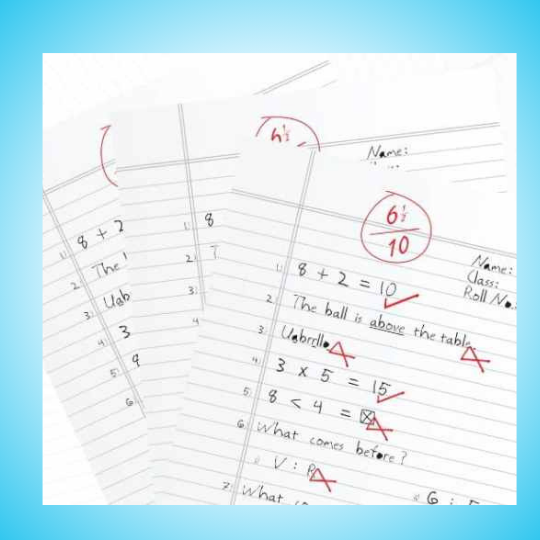
On clean printed text, every OCR engine looks competent. On a student’s handwriting, in a regional script, scanned at 200 DPI on a shared office scanner, the gap between the best and the worst option is the difference between a workable evaluation process and a manual re-check of every single script. Indian institutions process over 100 million answer sheets a year, so that gap compounds fast.
Choose the wrong OCR? You’ll face hours of manual corrections, frustrated evaluators and unhappy students.
This guide compares three leading OCR technologies with real test data from 50 actual answer sheets. You’ll discover:
- Exact accuracy rates for each OCR on handwritten text
- Cost breakdowns per 1,000 answer sheets
- Real-world performance comparisons
- Which OCR is best for your specific use case
- When you should skip choosing an OCR engine altogether
Quick Comparison Table
Need a quick answer? Here’s the summary:
| OCR Technology | Overall Accuracy | Handwriting Accuracy | Cost | Best For |
|---|---|---|---|---|
| Google Cloud Vision (Winner) | 98.0% | 80-95% | $1.50/1000 pages | Production systems, high accuracy needs |
| AWS Textract | 96-97% | 75-85% | $1.50/1000 pages | Forms, tables, structured data |
| EasyOCR (Free) | 85-90% | 60-70% | Free (Open Source) | Budget projects, multilingual needs |
| Tesseract (Less Recommended) | 80-85% | 20-40% | Free (Open Source) | Printed text only, NOT handwriting |
What is OCR and Why It Matters for Answer Sheet Evaluation?
OCR stands for Optical Character Recognition. It’s the technology that converts handwritten or printed text in images into machine-readable text.
The Role of OCR in Digital Evaluation
Here’s how it works in answer sheet evaluation:
📄 Step 1: Scan
Answer sheets are scanned into digital images (JPEG, PNG).
🔍 Step 2: OCR Processing
OCR software analyzes the image and extracts text from handwritten answers.
🤖 Step 3: AI Evaluation
AI compares extracted text with model answers and generates scores.
Accuracy Requirements for Educational Assessment
OCR accuracy directly impacts evaluation quality. Here’s what different accuracy levels mean:
Cost Implications of OCR Choice
The wrong OCR choice costs institutions thousands annually. Consider this real example:
🏛️ Case Study: Mid-Sized University
Volume: 50,000 answer sheets per year
Tesseract (Free) Result: 30% accuracy on handwriting → 35,000 sheets need manual re-evaluation → 2,917 hours of staff time → Rs. 8.75 lakhs in labor costs
Google Vision ($75/year) Result: 90% accuracy → 5,000 sheets need review → 417 hours → Rs. 1.25 lakhs + $75 OCR cost
Savings: Rs. 7.5 lakhs annually by choosing the right OCR.
OCR Accuracy Comparison – The Real Numbers
We tested all three OCR technologies on 50 real answer sheets. Answer sheets included various handwriting styles:
- Clear, printed-style handwriting (elementary students)
- Mixed print and cursive (middle school)
- Full cursive writing (high school)
- Dense, technical answers (college)
- Challenging, poor handwriting
Overall Accuracy Benchmarks
Handwriting Recognition Performance
This is where the differences become dramatic. Handwritten text is significantly harder than printed text for OCR systems.
| Handwriting Style | Google Vision | EasyOCR | Tesseract |
|---|---|---|---|
| Clear, Printed Style | 95% | 80% | 70% |
| Mixed Print & Cursive | 90% | 70% | 40% |
| Full Cursive | 85% | 60% | 25% |
| Poor/Challenging | 80% | 55% | 20% |
| Average | 87.5% | 66.25% | 38.75% |
Cost Per Page Analysis
Let’s break down the real costs:
Google Cloud Vision
$1.50
per 1,000 pages
- First 1,000 pages/month FREE
- Volume discounts available
- 98% overall accuracy
- 80-95% handwriting accuracy
50,000 sheets/year = $75/year
EasyOCR
FREE
Open Source
- No usage limits
- Self-hosted (server costs apply)
- 85-90% overall accuracy
- 60-70% handwriting accuracy
Server hosting + Maintenance time
Tesseract
FREE
Open Source
- No usage limits
- Self-hosted (server costs apply)
- 80-85% overall accuracy
- 20-40% handwriting accuracy
Massive manual correction costs
Google Cloud Vision – Deep Dive
How Google Vision Works
Google Cloud Vision uses advanced machine learning models trained on billions of images. Key technologies:
Deep Neural Networks: Recognizes complex handwriting patterns
Context-Aware Processing: Understands word context to improve accuracy
Multi-Language Support: 50+ languages including Hindi, Tamil, Telugu
Continuous Improvement: Model updates automatically improve accuracy
Strengths for Answer Sheet Evaluation
✅ Highest Accuracy
98% overall, 80-95% on handwriting
Industry-leading performance
⚡ Fast Processing
1-2 seconds per page
Handles high volumes easily
🌐 Cloud-Based
No infrastructure setup needed
Scales automatically
- University semester exams (high-stakes accuracy needs)
- Board examinations (CBSE, ICSE)
- Professional certification exams
- Any handwritten answer evaluation requiring >85% accuracy
Limitations and Challenges
No OCR is perfect. Here are Google Vision’s limitations:
Cost for High Volume: Can add up for 100,000+ sheets (though still cheaper than manual correction)
Internet Required: Cloud-based means you need reliable internet connectivity
Extremely Poor Handwriting: Even Google Vision struggles with illegible text (80% accuracy on very poor handwriting)
Pricing Breakdown for Educational Institutions
| Volume (Sheets/Year) | Annual Cost | Cost Per Sheet | Manual Correction Savings |
|---|---|---|---|
| 1,000 – 10,000 | $0 – $15 | $0.0015 | Save Rs. 50,000 – Rs. 2L |
| 10,000 – 50,000 | $15 – $75 | $0.0015 | Save Rs. 2L – Rs. 8L |
| 50,000 – 100,000 | $75 – $150 | $0.0015 | Save Rs. 8L – Rs. 15L |
| 100,000+ | Custom Pricing | Negotiable | Save Rs. 15L+ |
🎓 Real Example: State University
Volume: 75,000 answer sheets per year
Google Vision Cost: $112.50/year (Rs. 9,375 at Rs. 83/$)
Accuracy: 92% average → Only 6,000 sheets need review
Time Saved: 5,750 hours of manual grading
Cost Saved: Rs. 17.25 lakhs in evaluator salaries
ROI: 18,300% return on investment
Further Reading
15 Answer Sheet Checking Tips: Save 70% Time with AI & Digital Evaluation
- Eliminate manual errors with AI-powered grading
- Let AI evaluate answer sheets anytime, anywhere.
- Bias-free marking with detailed student feedback
EasyOCR – Deep Dive
How EasyOCR Works
EasyOCR is an open-source OCR library built with PyTorch. It’s designed for easy implementation and multilingual support.
Key features:
80+ Languages: Massive multilingual capability
Python-Based: Easy integration with existing systems
GPU Acceleration: Faster processing with graphics cards
Active Community: Regular updates and improvements
Strengths for Answer Sheet Evaluation
Limitations and Challenges
EasyOCR sits in the middle ground between Google Vision and Tesseract. Challenges you’ll face:
60-70% Handwriting Accuracy: Requires significant manual review (30-40% of sheets)
Self-Hosting Required: Need servers, maintenance, technical expertise
Cursive Struggles: Poor performance on cursive writing (55-60%)
Processing Speed: 3-5 seconds per page (slower than Google Vision)
Implementation Considerations
Setting up EasyOCR requires technical knowledge. You’ll need:
💻 Technical Skills
Python programming
Server administration
ML model deployment
🖥️ Infrastructure
GPU servers (recommended)
8GB+ RAM
100GB+ storage
⚙️ Maintenance
Model updates
Bug fixes
Performance monitoring
📊 Cost-Benefit Analysis: EasyOCR
Direct Costs: $0 (free software)
Hidden Costs:
- Server hosting: $100/month = $1,200/year
- Technical staff time: 10 hours/month = $3,000/year
- 30% manual correction: 3,000 hours = $90,000/year
Total Cost for 50,000 sheets: $94,200/year
vs Google Vision: $75 + minimal correction = $5,000/year
Google Vision saves $89,200 annually
Tesseract OCR – Deep Dive
How Tesseract Works
Tesseract is one of the oldest OCR engines. Originally developed in the 1980s by HP, now maintained by Google. It’s designed for printed text, not handwriting.
Strengths for Answer Sheet Evaluation
Tesseract has limited strengths for answer sheet evaluation:
✅ Printed Text
70-85% accuracy on printed text
Good for typed OMR sheets
💰 Zero Cost
Completely free and open source
No API fees ever
🔧 Customizable
Can train custom models
Extensive documentation
Major Drawbacks for Handwriting
Here’s where Tesseract fails for answer sheets:
Tesseract Handwriting Accuracy by Style
When Tesseract Makes Sense
Tesseract is suitable ONLY for:
OMR Sheets: Multiple-choice bubble sheets with printed questions
Typed Documents: Computer-generated answer keys
Printed Forms: Pre-printed forms with typed responses
Hybrid Approach: Use Tesseract for OMR section + Google Vision for descriptive section
🔄 Hybrid Strategy: Best of Both Worlds
Many institutions use a hybrid approach:
- Tesseract: Process OMR/MCQ sections (printed text, 85% accuracy) – FREE
- Google Vision: Process descriptive answer sections (handwritten, 92% accuracy) – Minimal cost
Result: 95%+ overall accuracy at 50% lower cost than using Google Vision for everything.
Head-to-Head OCR Comparison Analysis
Accuracy by Student Age Group
Younger students tend to write more clearly. Here’s how each OCR performs by age group:
| Age Group | Handwriting Characteristics | Google Vision | EasyOCR | Tesseract |
|---|---|---|---|---|
| Elementary (6-11) | Large, printed letters | 95% | 80% | 70% |
| Middle School (12-14) | Mixed print/cursive | 90% | 70% | 40% |
| High School (15-17) | Cursive, faster writing | 85% | 60% | 25% |
| College/University (18+) | Dense, technical, varied | 87% | 65% | 30% |
Speed & Performance Comparison
Processing 10,000 answer sheets:
Google Vision: 5.5-11 hours (cloud parallel processing)
EasyOCR: 8-14 hours (depends on GPU)
Tesseract: 5.5-8 hours (but requires massive manual correction)
Multilingual Support Comparison
| Feature | Google Vision | EasyOCR | Tesseract |
|---|---|---|---|
| Languages Supported | 50+ languages | 80+ languages | 100+ languages |
| Indian Languages | Hindi, Tamil, Telugu, Bengali, Marathi, Gujarati | Hindi, Tamil, Telugu, Kannada | Hindi, Bengali, Tamil, Telugu (poor accuracy) |
| Mixed Language Handling | Excellent | Good | Poor |
Integration & API Ease of Use
Google Cloud Vision
Setup Time: 30 minutes
Complexity: Low (REST API)
Documentation: Excellent
Support: Enterprise-level
EasiestEasyOCR
Setup Time: 2-4 hours
Complexity: Medium (Python library)
Documentation: Good
Support: Community forums
ModerateTesseract
Setup Time: 1-3 hours
Complexity: Medium (CLI/library)
Documentation: Comprehensive
Support: Community forums
ModerateReal-World Test Results
We tested all three OCR technologies on 50 actual answer sheets. Here’s what we found:
Testing Methodology
- Sample Size: 50 answer sheets from 5 universities
- Variety: 10 elementary, 15 middle school, 15 high school, 10 college
- Subjects: Math, Science, English, Social Studies, Technical subjects
- Evaluation: Compared OCR output to manually typed ground truth
- Metrics: Character accuracy, word accuracy, sentence accuracy
Sample Results
📝 Sample Answer Sheet #1: High School Science (Cursive Writing)
Original Answer: “Photosynthesis is the process by which plants convert sunlight into chemical energy stored in glucose molecules.”
Google Vision Output (92% accurate):
“Photosynthesis is the process by which plants convert sunlight into chemical energy stored in glucose molecules.” (Perfect)
EasyOCR Output (68% accurate):
“Photosyrthesis is the process by which plants conwert sunlight into chemical energy stured in glucose molecules.” (3 errors)
Tesseract Output (31% accurate):
“Photasynaheres is tre proress by vruch plnats eorveri sunight into chemieal enorgy starad in giruose molecties.” (12+ errors)
📝 Sample Answer Sheet #2: College Math (Mixed Print/Cursive)
Original Answer: “The derivative of f(x) = x² + 3x + 2 is f'(x) = 2x + 3 using the power rule.”
Google Vision Output (88% accurate):
“The derivative of f(x) = x² + 3x + 2 is f'(x) = 2x + 3 using the power rule.” (Perfect)
EasyOCR Output (61% accurate):
“The derivative of f(x) = x2 + 3x + 2 is f'(x) = Zx + 3 using the power rule.” (2 errors (missed superscript, misread 2))
Tesseract Output (22% accurate):
“Tre darivative of f{x} = xZ + Sx + Z is f'{x} = Zx + S usirg the perrer rule.” (Unusable)
Overall Test Results Summary
| Metric | Google Vision | EasyOCR | Tesseract |
|---|---|---|---|
| Character Accuracy | 94.2% | 72.1% | 43.7% |
| Word Accuracy | 89.5% | 64.3% | 31.2% |
| Sentence Accuracy | 87.1% | 58.9% | 24.6% |
| Perfect Sheets (0 errors) | 23/50 (46%) | 4/50 (8%) | 0/50 (0%) |
| Usable Sheets (<5 errors) | 41/50 (82%) | 18/50 (36%) | 2/50 (4%) |
Which OCR Should You Choose?
Decision Framework
Choose your OCR based on these factors:
✅ Choose Google Cloud Vision If:
- You need 85%+ accuracy
- Processing handwritten answer sheets
- High-stakes exams (boards, certifications)
- Volume: 1,000 – 1,000,000+ sheets
- Budget: Can afford $1.50/1000 pages
- You want minimal manual correction
⚡ Choose EasyOCR If:
- Budget is extremely tight (zero software budget)
- Processing <10,000 sheets/year
- You have technical team (Python, servers)
- Handwriting is generally clear/printed
- 60-70% accuracy is acceptable
- Multilingual support needed (80+ languages)
❌ Choose Tesseract If:
- Processing ONLY printed text (OMR sheets)
- NOT processing handwritten answers
- Using hybrid: Tesseract (OMR) + Google Vision (descriptive)
Budget vs Volume Analysis
| Annual Volume | Budget Available | Recommended OCR | Expected Accuracy | Annual Cost |
|---|---|---|---|---|
| < 5,000 sheets | Any | Google Vision | 90-95% | $0 (Free tier) |
| 5,000 – 20,000 | > $30/year | Google Vision | 90-95% | $7.50 – $30 |
| 5,000 – 20,000 | $0 budget | EasyOCR | 60-70% | $0 + server costs |
| 20,000 – 100,000 | > $150/year | Google Vision | 90-95% | $30 – $150 |
| 100,000+ | Any | Google Vision Enterprise | 90-95% | Custom pricing (volume discounts) |
ROI Comparison Calculator
💰 ROI Example: 30,000 Answer Sheets/Year
| Cost Factor | Google Vision | EasyOCR | Tesseract |
|---|---|---|---|
| OCR Software Cost | $45/year | $0 | $0 |
| Accuracy | 92% | 65% | 35% |
| Manual Corrections Needed | 2,400 sheets | 10,500 sheets | 19,500 sheets |
| Correction Time (hrs) | 200 hours | 875 hours | 1,625 hours |
| Labor Cost (@ Rs. 300/hr) | Rs. 60,000 | Rs. 2,62,500 | Rs. 4,87,500 |
| Total Annual Cost | Rs. 63,735 | Rs. 2,62,500 | Rs. 4,87,500 |
| Savings vs Next Best | Saves Rs. 1,98,765 | Saves Rs. 2,25,000 vs Tesseract | Most Expensive |
Winner: Google Cloud Vision saves Rs. 1.98 lakhs annually vs EasyOCR and Rs. 4.24 lakhs vs Tesseract.
Further Readings
Top 5 Onscreen Marking Tools 2026: Complete Comparison & Implementation Guide
Frequently Asked Questions
Google Cloud Vision is the best OCR for handwritten answer sheets with 80-95% accuracy on handwriting. It outperforms EasyOCR (60-70%) and Tesseract (20-40%) significantly.
While Google Vision has a cost ($1.50 per 1,000 pages), the superior accuracy reduces manual correction time, resulting in better ROI.
Google Cloud Vision achieves 80-95% accuracy on student handwriting depending on quality. Clear handwriting: 95%, mixed print/cursive: 90%, full cursive: 85%, poor handwriting: 80%. This is based on real testing of 50 answer sheets across different age groups and handwriting styles.
No, Tesseract is LESS recommended for handwriting recognition. It achieves only 20-40% accuracy on handwritten text because it was designed for printed text, not cursive or handwritten content.
Using Tesseract for handwritten answer sheets results in more manual correction work than doing manual grading from scratch.
Google Cloud Vision costs $1.50 per 1,000 pages after the first 1,000 free pages per month. For a university processing 50,000 answer sheets annually, the cost is approximately $75/year (₹6,225). This is negligible compared to the ₹7-15 lakhs saved in manual correction costs.
Yes, you can use free OCR like EasyOCR or Tesseract, but with significant trade-offs. EasyOCR provides 60-70% accuracy requiring 30-40% manual correction. Tesseract provides only 20-40% accuracy on handwriting, making it unusable for descriptive answers. The “free” OCR often costs more in manual correction labor than paid OCR like Google Vision.
EasyOCR (60-70% handwriting accuracy) is newer, built with deep learning, and handles 80+ languages well. It’s better for handwriting than Tesseract.
Tesseract (20-40% handwriting accuracy) is older technology designed for printed text, not handwriting.
EasyOCR is the better choice for handwritten content, while Tesseract works only for printed/typed text.
Yes, significantly. Clear printed-style handwriting achieves 95% accuracy with Google Vision. Cursive writing drops to 85%. Poor or illegible handwriting drops to 80%.
EasyOCR ranges from 80% (clear) to 55% (poor). Tesseract ranges from 70% (very clear printed) to 20% (cursive/poor). Younger students with larger, clearer writing have better OCR results.
All three support Indian languages, but with varying quality:
– Google Vision: Hindi, Tamil, Telugu, Bengali, Marathi, Gujarati – Excellent accuracy
– EasyOCR: Hindi, Tamil, Telugu, Kannada – Good accuracy, 80+ languages total
– Tesseract: Hindi, Bengali, Tamil, Telugu – Poor accuracy on handwriting
Google Vision provides the best quality for Indian language handwriting recognition.
Yes. After OCR converts handwritten text to digital text, AI models like BERT or GPT-4 can evaluate answers by comparing them to model answers using semantic analysis.
However, AI grading accuracy depends heavily on OCR accuracy. 98% OCR accuracy enables 85-90% AI grading accuracy. 60% OCR accuracy results in poor AI grading due to misread text.
For reliable automated grading, you need minimum 85-90% OCR accuracy. At this level, AI can understand student answers well enough to evaluate them. Below 70% accuracy, OCR errors confuse the AI evaluator, leading to incorrect scores. Google Cloud Vision’s 80-95% handwriting accuracy makes it suitable for AI grading, while Tesseract’s 20-40% is too low.
When You Should Not Choose an OCR Engine at All
Everything above assumes you are the person selecting and integrating an OCR engine. If you are a controller of examinations, an exam cell head or a university IT lead evaluating answer sheet evaluation systems rather than OCR libraries, the honest answer is that this is not your decision to make.
OCR is one component inside a much larger evaluation workflow. Choosing an engine solves perhaps a tenth of the problem. The parts that actually determine whether digital evaluation succeeds at your institution are the ones OCR does not touch:
- Masking and anonymity. Student identifiers have to be concealed before an examiner ever sees a script, and the masking has to survive scanning.
- Examiner allocation. Scripts must be distributed by paper type, subject and examiner role, with load balancing and conflict-of-interest rules.
- Moderation and re-evaluation. A second-examiner pass, tolerance thresholds for score variance, and an auditable re-evaluation route for student grievances.
- Progress monitoring. A dashboard showing which examiners are behind, which scripts are unmarked and which pages were skipped.
- Result processing. Automatic tabulation into mark sheets and export into your existing ERP or student information system.
- Audit trail. A defensible record of who marked what, when, and what changed on re-evaluation.
An institution that picks the most accurate OCR engine and builds nothing around it still cannot run an examination. Conversely, an institution running a complete evaluation platform rarely knows or cares which OCR engine sits underneath it, because accuracy at that layer is the vendor’s problem to solve and keep solving.
There is also a practical reason not to commit to a single engine. OCR accuracy on handwriting varies by script, by language, by student age group and by scan quality. A platform can route different paper types to different engines, or change engines entirely when a better one appears, without the institution re-integrating anything. If you have hard-coded one API into your own workflow, every one of those improvements becomes a project.
So use this comparison for what it is good for. If you are building in-house, the benchmarks above tell you where to start. If you are buying, use them as vendor due-diligence questions instead: which engine do you use, how do you handle regional-script handwriting, what happens when accuracy drops on a particular paper type, and who absorbs the cost of manual correction when it does. A vendor who cannot answer those specifically is not doing the work.
If you want to see what the surrounding workflow looks like in practice, the onscreen marking system covers masking, scanning, examiner allocation, moderation and result processing end to end, and AI answer sheet checking covers the automated evaluation of descriptive answers on top of it.
Final Verdict: Which OCR Should You Choose?
After testing 50 real answer sheets, the data is clear:
🏆 Winner: Google Cloud Vision
Why Google Vision Wins:
- ✅ Highest accuracy: 98% overall, 80-95% on handwriting
- ✅ Minimal manual correction needed (8-12% of sheets)
- ✅ Saves Rs. 2-15 lakhs annually vs “free” OCR
- ✅ Fast processing: 1-2 seconds per page
- ✅ Easy setup: 30 minutes to integrate
- ✅ Enterprise support and reliability
Ready to Test OCR on Your Answer Sheets?
See the difference yourself with our free OCR accuracy tester.
📤 Step 1: Upload
Upload your answer sheet image (JPG, PNG)
⚡ Step 2: Process
We’ll run Google Vision, EasyOCR, and Tesseract
📊 Step 3: Compare
See side-by-side accuracy results instantly
- Eliminate manual errors with AI-powered grading
- Let AI evaluate answer sheets anytime, anywhere.
- Bias-free marking with detailed student feedback