Introduction
An examination department checking 100,000 answer sheets manually needs weeks of logistics: bundling, transport, examiner travel, and manual mark totaling. One misplaced bundle or totaling error can delay the entire result.
An onscreen marking system removes most of that work. But the outcome depends heavily on how you implement it. This guide covers the best practices that separate smooth rollouts from failed ones, based on deployments across 200+ institutions.
What Is an Onscreen Marking System?
An onscreen marking system (OSM) is software that lets examiners evaluate scanned copies of physical answer sheets on a screen instead of on paper. Answer sheets are scanned once, student identities are masked, and examiners log in to annotate and assign marks digitally. The system totals marks automatically and feeds results directly into result processing.
Universities using onscreen evaluation report over 60% cost savings and result declaration compressed from 45 days to about 8 days. Large universities process 100,000+ answer sheets per session on such systems.
Key Takeaways
- Scan once with identity masking – examiners never see student names or roll numbers
- Define exam patterns in the system before evaluation starts, so marks total automatically
- Configure moderation rules (borderline, high scores, random samples) instead of moderating ad hoc
- Run a pilot with mock evaluation and examiner training before the live cycle
- Proven outcomes: 60%+ time savings per answer sheet and result cycles cut from 45 days to 8 days
- In 2026, AI-assisted evaluation adds suggested marks that human examiners confirm
Limitations of the Traditional Answer Sheet Checking Process
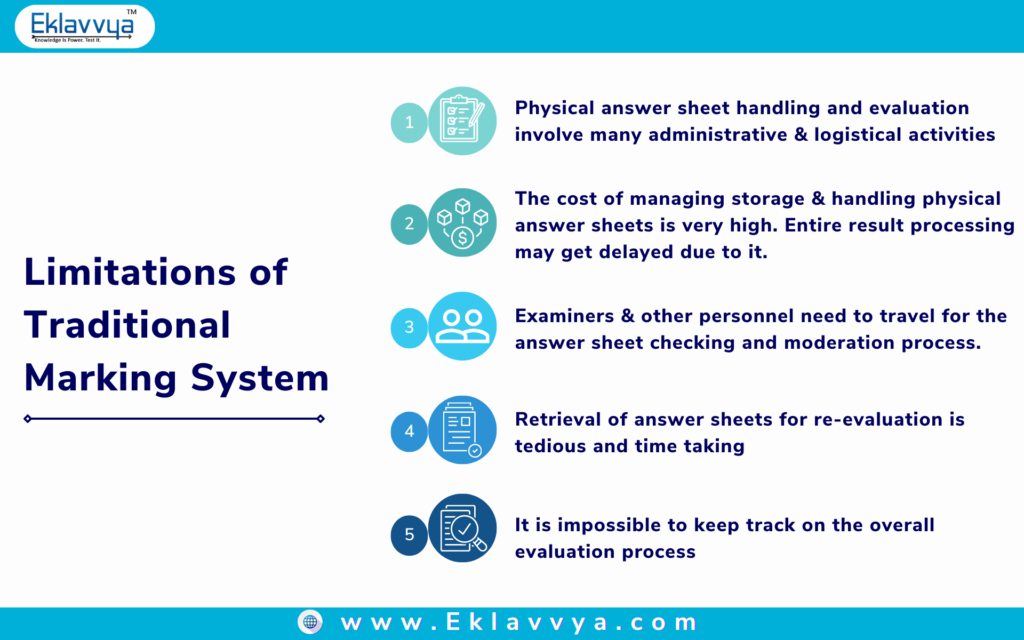
Manual evaluation creates five recurring problems:
- Heavy logistics – physical answer sheets must be bundled, transported, stored, and tracked
- High storage cost – warehousing lakhs of answer booklets for retention periods
- Examiner travel – evaluators must assemble at central evaluation camps
- Manual totaling errors – a large share of re-evaluation requests trace back to totaling mistakes, not judgment
- No central visibility – the Controller of Examinations cannot see evaluation progress in real time
Re-evaluation and photocopy requests make it worse. Someone must physically locate one booklet among thousands – a tedious, error-prone task that an OSM system resolves with a search and a click.
Best Practices for the Onscreen Marking Process
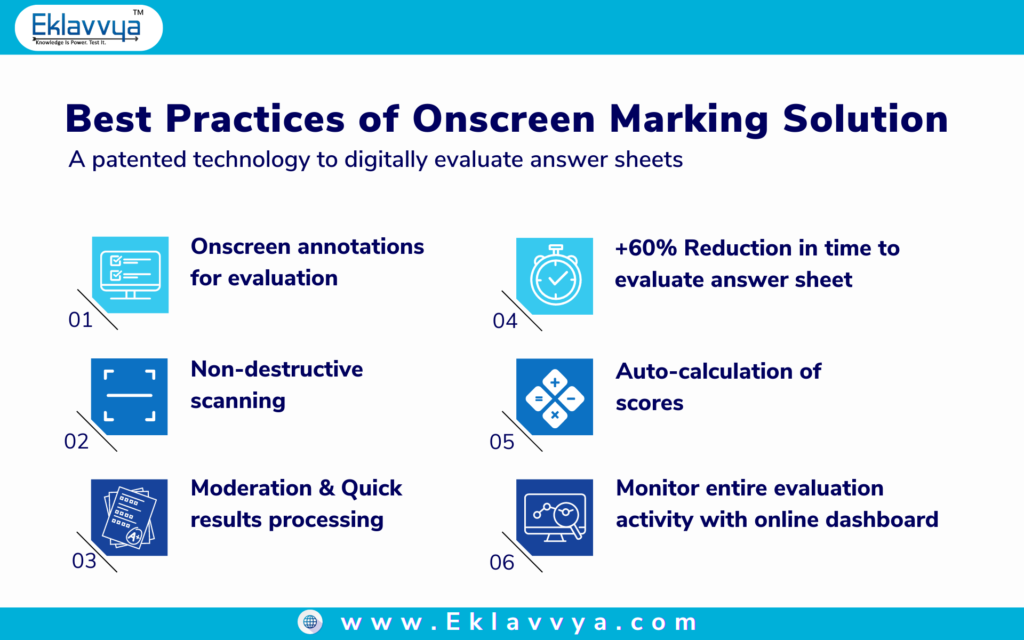
1. Answer Sheet Scanning with Identity Masking
Scan answer sheets on high-speed scanners with a non-destructive process, and mask student identity fields (name, roll number) before evaluation. Examiners see only the answers – which removes bias and makes the process defensible in audits and legal challenges.
Barcode or QR mapping links each scanned booklet to the student record without exposing identity. Digital copies also solve storage: physical booklets can be destroyed after the retention period, since a retrievable digital version exists for every re-evaluation or photocopy request.
2. Exam Pattern Mapping Before Evaluation Starts
Define question papers and exam patterns in the system first – batch, exam name, semester, stream, and the question paper format including optional questions. Import student data per stream and specialization before scanning begins.
This step is what makes auto-totaling work. When the system knows the pattern, it handles optional-question logic and marks calculation automatically, eliminating the totaling errors that drive most re-evaluation requests.
3. Structured Examiner Evaluation with Full Audit Trail
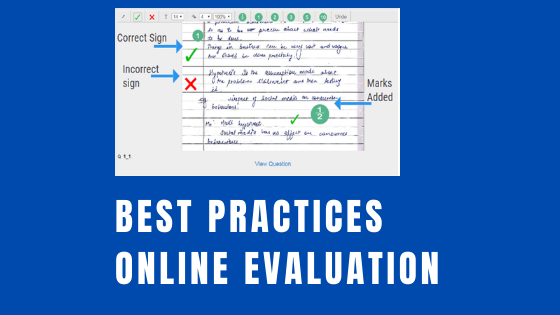
Give each examiner unique login credentials and evaluate digitally with on-screen annotations. Every action – login, annotation, marks assignment – is logged. The audit trail answers any later dispute about who evaluated what and when, and the system feeds final marks directly to mark sheet printing.
Security matters here: authorized examiners evaluate after identity verification, and answer sheets cannot be downloaded from an examiner login.
4. Rule-Based Moderation
Moderation – rechecking already-evaluated answer sheets – catches inconsistent marking. Instead of moderating ad hoc, configure rules in the system. A typical university moderation policy looks like this:
- Marks between 28% and 34% (passing at 35%): moderate 100% of those answer scripts
- Marks above 90%: moderate 50% of the answer scripts
- Marks between 50% and 80%: moderate a random 10% sample
- Marks between 35% and 50%: moderate a random 5% sample
The system selects answer sheets against these rules automatically and assigns them to moderators – no physical handling, no manual sampling.
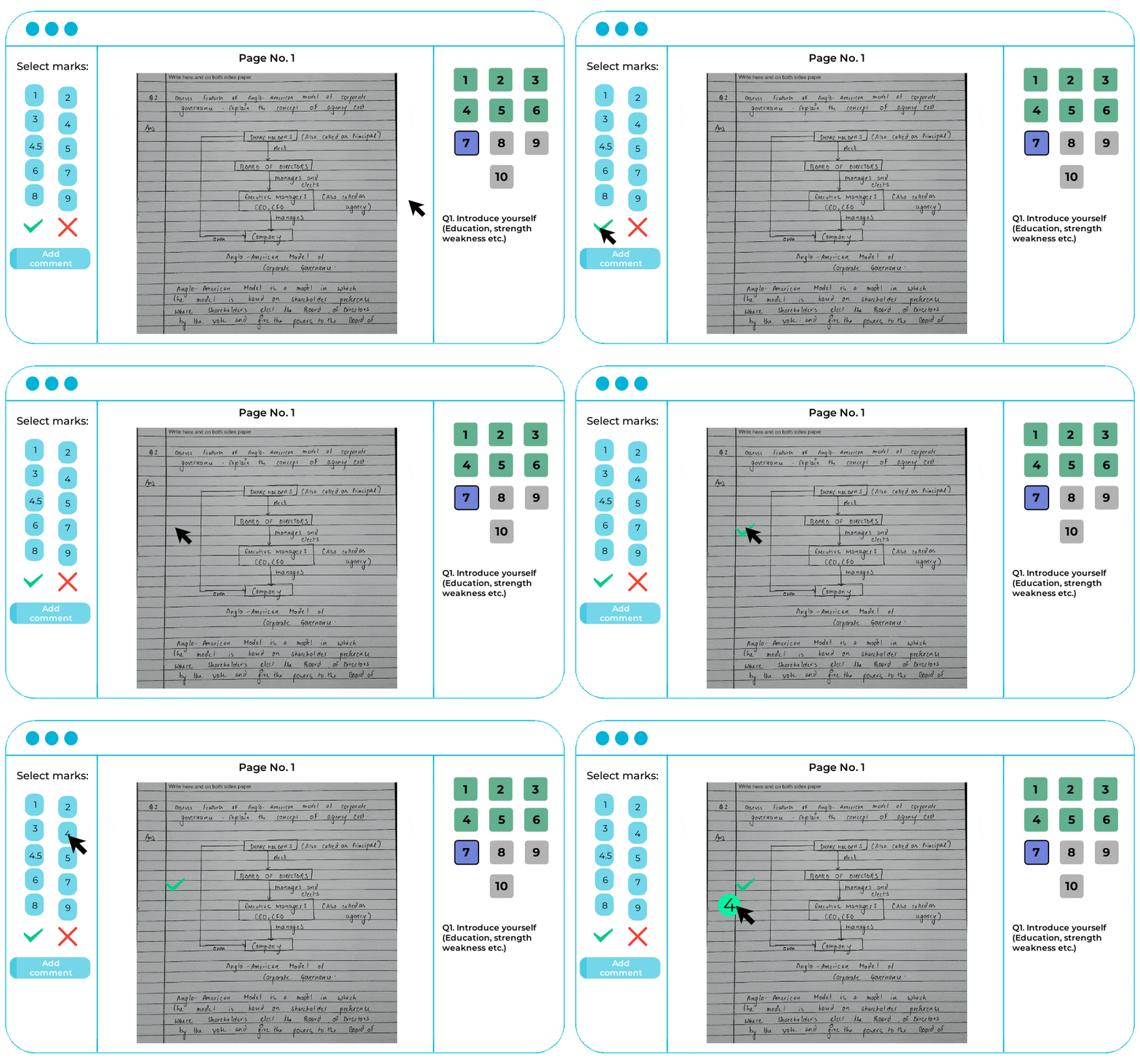
- Eliminate manual answersheet checking process.
- Check answersheets from any remote location.
- Automate result processing activities using technology.
5. Track Evaluation Progress Centrally
Use the system dashboard to monitor how many answer sheets each examiner has completed, pending counts per subject, and projected completion dates. The Controller of Examinations sees the entire evaluation in real time – impossible in the manual process – and can reassign load before delays compound.
6. Pilot First, Then Scale
Run a pilot phase on one exam or one subject before going live across the university. Conduct examiner training sessions with mock answer sheet evaluation, collect feedback, then define a phase-wise rollout. Institutions that skip training see slow examiner adoption; those that pilot properly complete their first live cycle without disruption.
7. Add AI Assistance to Evaluation (2026 Practice)
The newest best practice is pairing onscreen marking with AI answer sheet checking. AI reads handwritten answers with OCR, compares them against model answers, and suggests marks with feedback. Human examiners review and confirm – keeping educators in control while cutting per-sheet evaluation time further.
This hybrid model is how leading universities are scaling evaluation in 2026 without adding examiner headcount. See our complete guide to digital evaluation of answer sheets for the full workflow.
Traditional Checking vs Onscreen Marking: Comparison
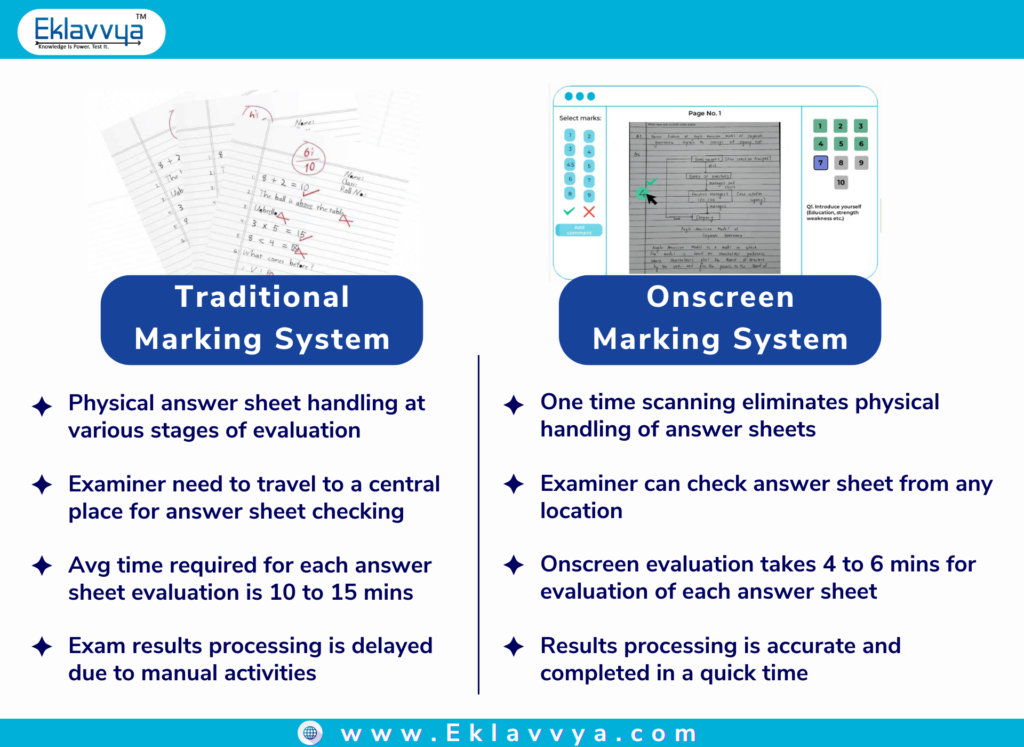
The differences that matter most to an examination department:
- Evaluation time per sheet: 10-15 minutes manually vs 5-6 minutes onscreen, since totaling is automatic
- Examiner location: travel to evaluation camps vs evaluate securely from anywhere – an examiner in Mumbai can evaluate answer sheets from New Delhi
- Result timeline: universities have cut result processing from 45 days to 8 days after moving onscreen
- Cost: 50-60% savings on evaluation and result processing – stationery, storage, travel, and allowances largely disappear
- Integrity: masked identities, access controls, and full audit logs vs manual registers
Implementation Approach
A proven rollout follows four steps. First, analyze the existing evaluation process and define a pilot roadmap. Second, run the pilot with examiner training and mock evaluations. Third, go live phase-wise, subject by subject, with a dedicated account manager and support over email, chat, and phone. Fourth, scale to all exams once the first cycle completes cleanly.
Commercially, onscreen marking services typically need no upfront investment – pricing is per answer booklet or per page, which lets universities start small and scale with volume. Choosing the right vendor matters; our guide on how to choose onscreen marking software lists the evaluation criteria.
Conclusion
An onscreen marking system pays for itself in the first evaluation cycle: 60%+ cost savings, result timelines cut from 45 days to 8, and a transparent, auditable process that withstands re-evaluation disputes. The best practices above – masking, pattern mapping, rule-based moderation, central tracking, piloting, and AI assistance – are what turn the software into those outcomes.
Eklavvya’s onscreen marking platform, used by universities and autonomous institutes across India and 15+ countries, has evaluated answer sheets at 100,000+ per session scale. Connect with us for a demo – we are just a click away.
Related Guides
- Onscreen Evaluation & Paper Checking: 2026 Guide for Universities
- Digital Evaluation of Answer Sheets: Complete Guide
- Onscreen Answer Sheet Evaluation: Step-by-Step Guide
- Onscreen Marking Software: 7 Tips to Choose the Right Solution
- AI Answer Sheet Checking: Automate Grading
Frequently Asked Questions
What is an onscreen marking system?
An onscreen marking system is software that lets examiners evaluate scanned answer sheets digitally on a screen. Physical answer sheets are scanned once with student identities masked, examiners annotate and assign marks online, and the system totals marks automatically for result processing.
How much time does onscreen marking save?
Evaluation time drops from 10-15 minutes per answer sheet to 5-6 minutes, a 60%+ reduction, because mark totaling is automatic. At the process level, universities have cut result declaration from 45 days to about 8 days.
Is onscreen evaluation secure and fair?
Yes. Student identities are masked so examiners cannot see names or roll numbers, access requires verified examiner logins, answer sheets cannot be downloaded, and every annotation and mark is logged in an audit trail.
How does moderation work in onscreen marking?
Moderation rules are configured in the system – for example, recheck 100% of borderline scripts near the passing mark and a 10% random sample of mid-range scores. The system selects and assigns answer sheets to moderators automatically, with no physical handling.
What does an onscreen marking system cost?
Most platforms, including Eklavvya, price per answer booklet or per page with no upfront investment. Combined savings on storage, travel, stationery, and allowances typically exceed 50-60% of traditional evaluation cost.
About the Author

Swapnil has experience of more than 15 years in the Information Technology sector. He has been working on digital platforms in the education sector. Swapnil is the founder of Splashgain, an Education Technology company from India working on innovative EdTech platforms for examinations, proctoring solutions, and digital admission processes.